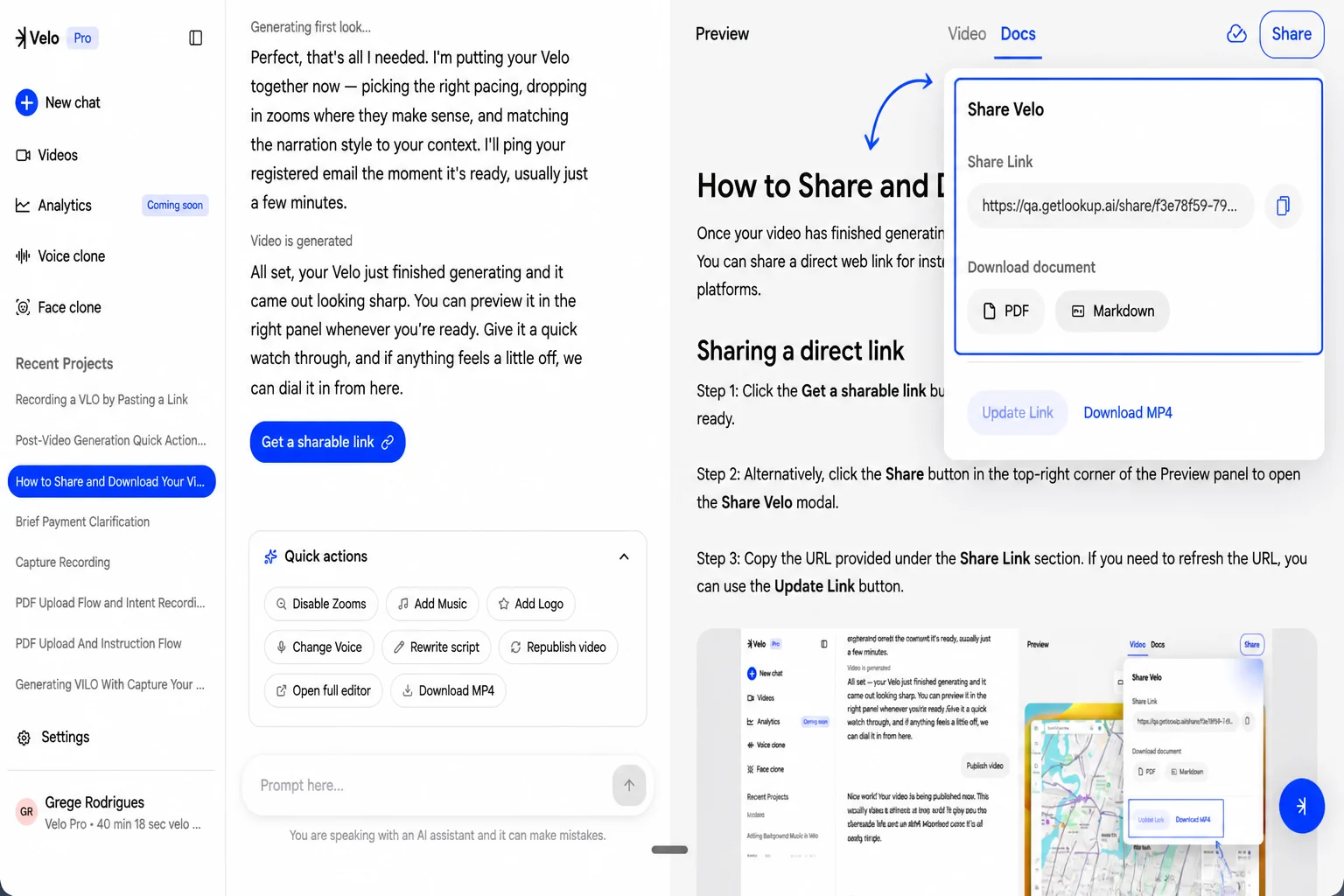
Access the Docs interface
Navigate to the top-right corner of the Velo interface, next to the Video preview, and select the Docs tab. If a document has not been created for the current project yet, the screen will display a “No doc yet” status.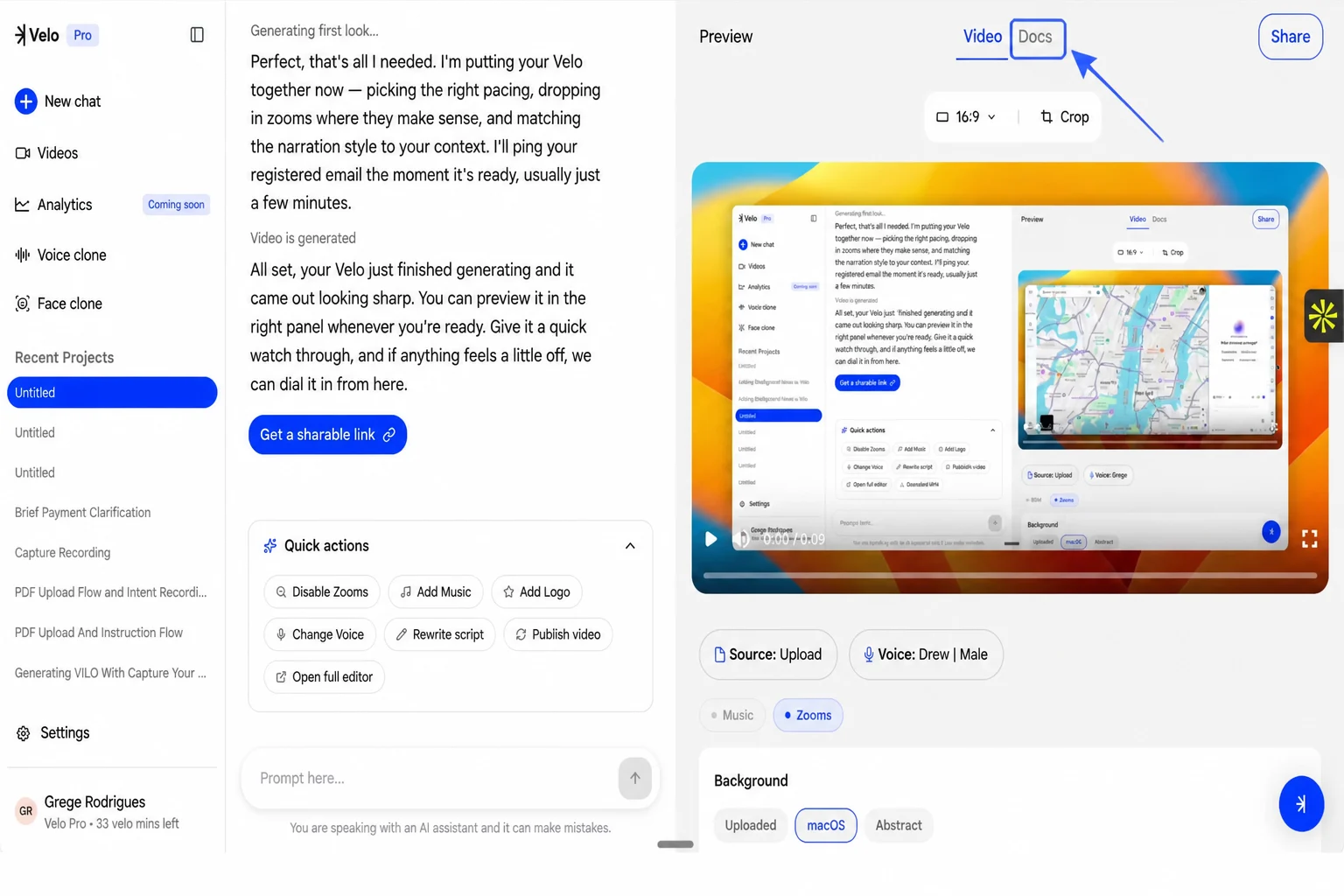
Generate the document
Click the Generate Doc button. The system will process the video content, a task that typically takes a few seconds. During this time, you will see a “Generating your doc…” status message.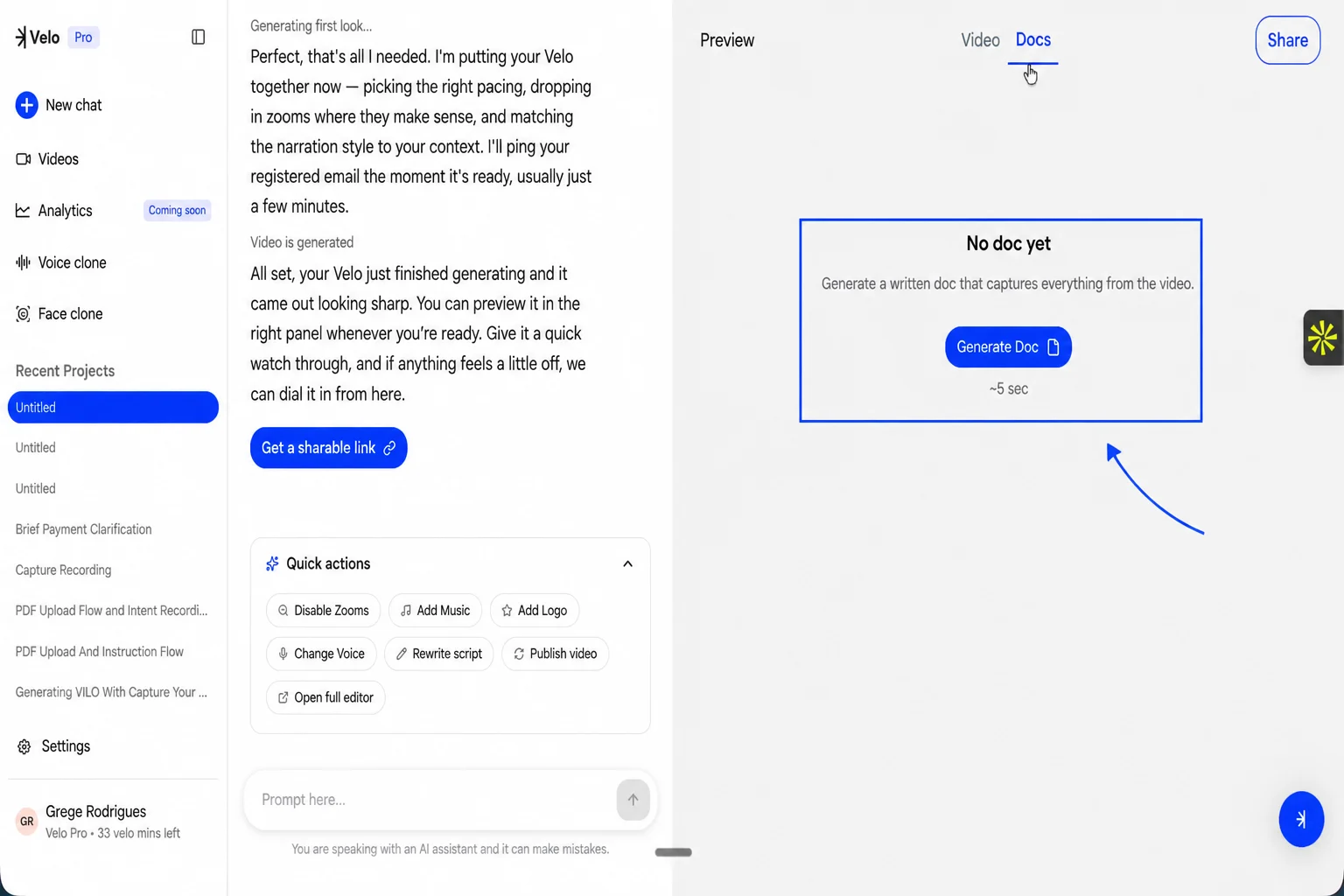
Review and edit content
Once the document appears, you can perform manual edits to refine the text. Both the title and the body of the doc are fully editable to ensure the final output meets your specific needs. The generated document includes detailed annotations and captions that correspond to specific actions within the video.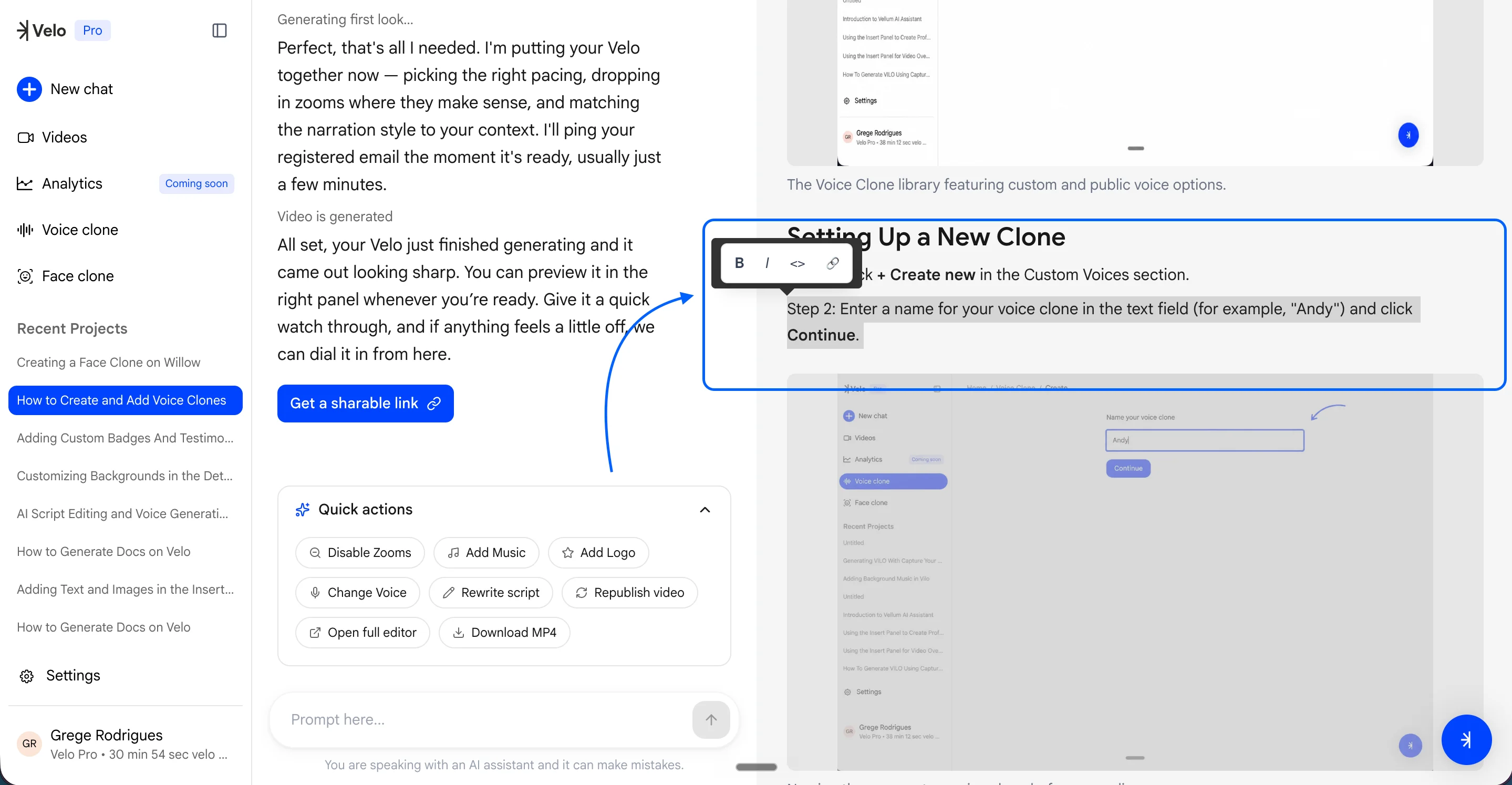
Share and export
After verifying the content and making any necessary formatting changes, click Save to preserve your edits. To distribute the document:- Click the Share button in the top-right corner.
- Select your preferred export format from the Share Velo modal.
- Choose PDF for a fixed-layout document or Markdown for use in other documentation tools.