Select a Project Type
When starting a new project, you can choose from three distinct methods to provide content: Capture screen records your screen directly using the Velo extension; Upload a recording or PDF imports existing MP4, MOV, or PDF files; and Paste a link generates a video from a web URL (currently in beta).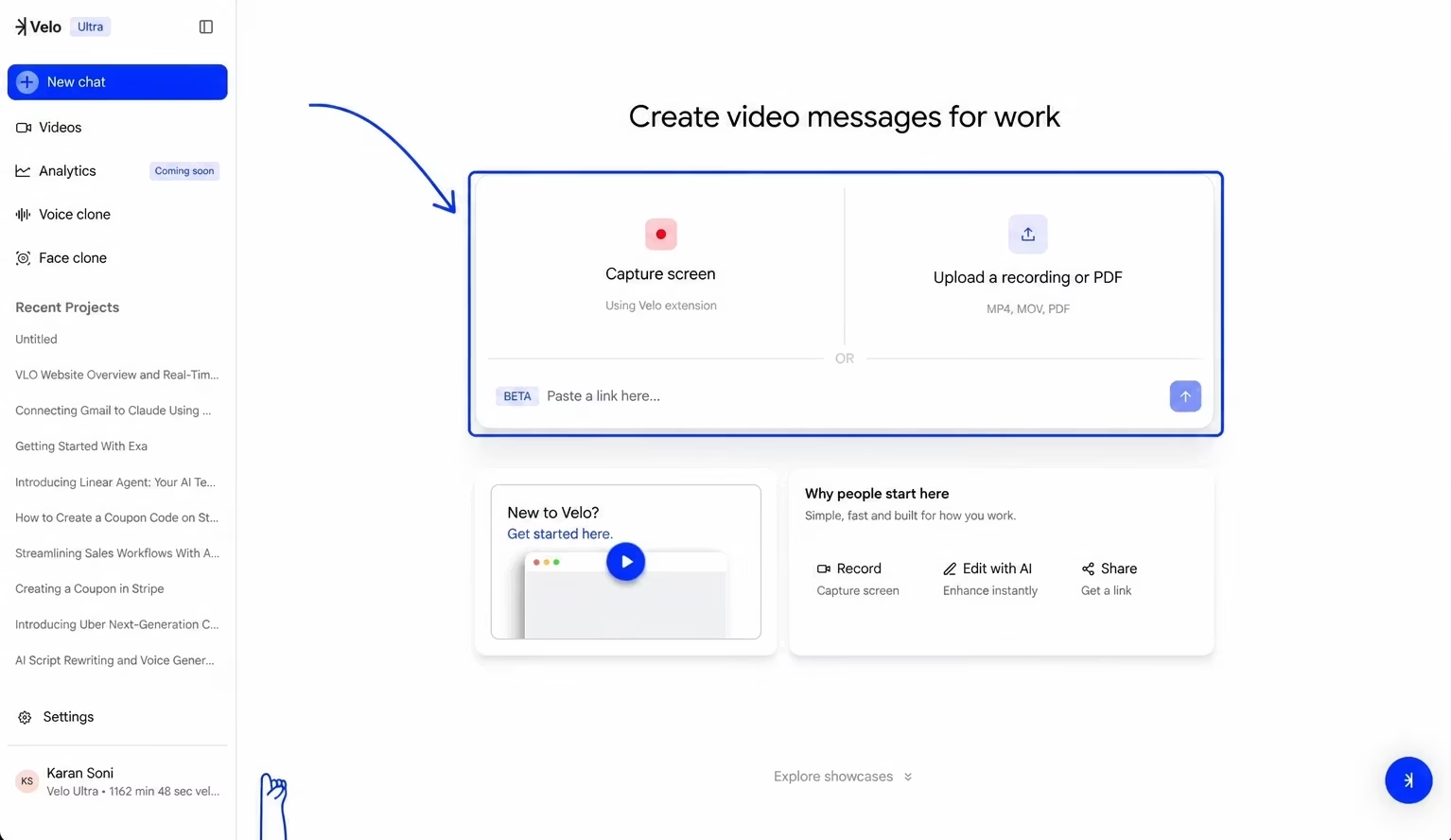
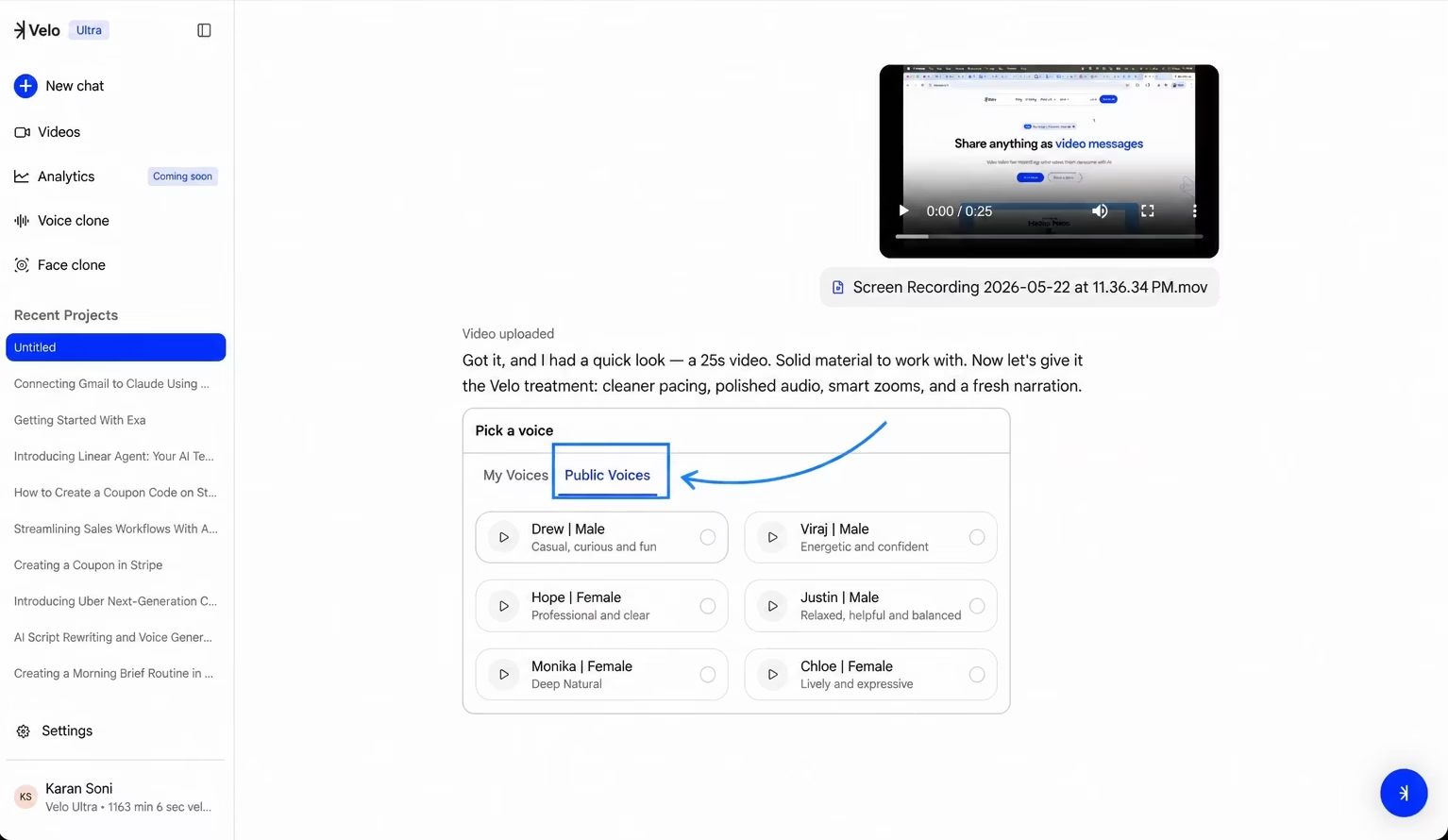
Upload Content and Choose a Voice After choosing to upload a recording, select the desired file from your local storage. Once the upload is confirmed, select a narration style. You can use your own cloned voices or choose from a list of Public Voices categorized by tone - Drew (casual, curious, and fun), Viraj (energetic and confident), Hope (professional and clear), or Monika (deep and natural).
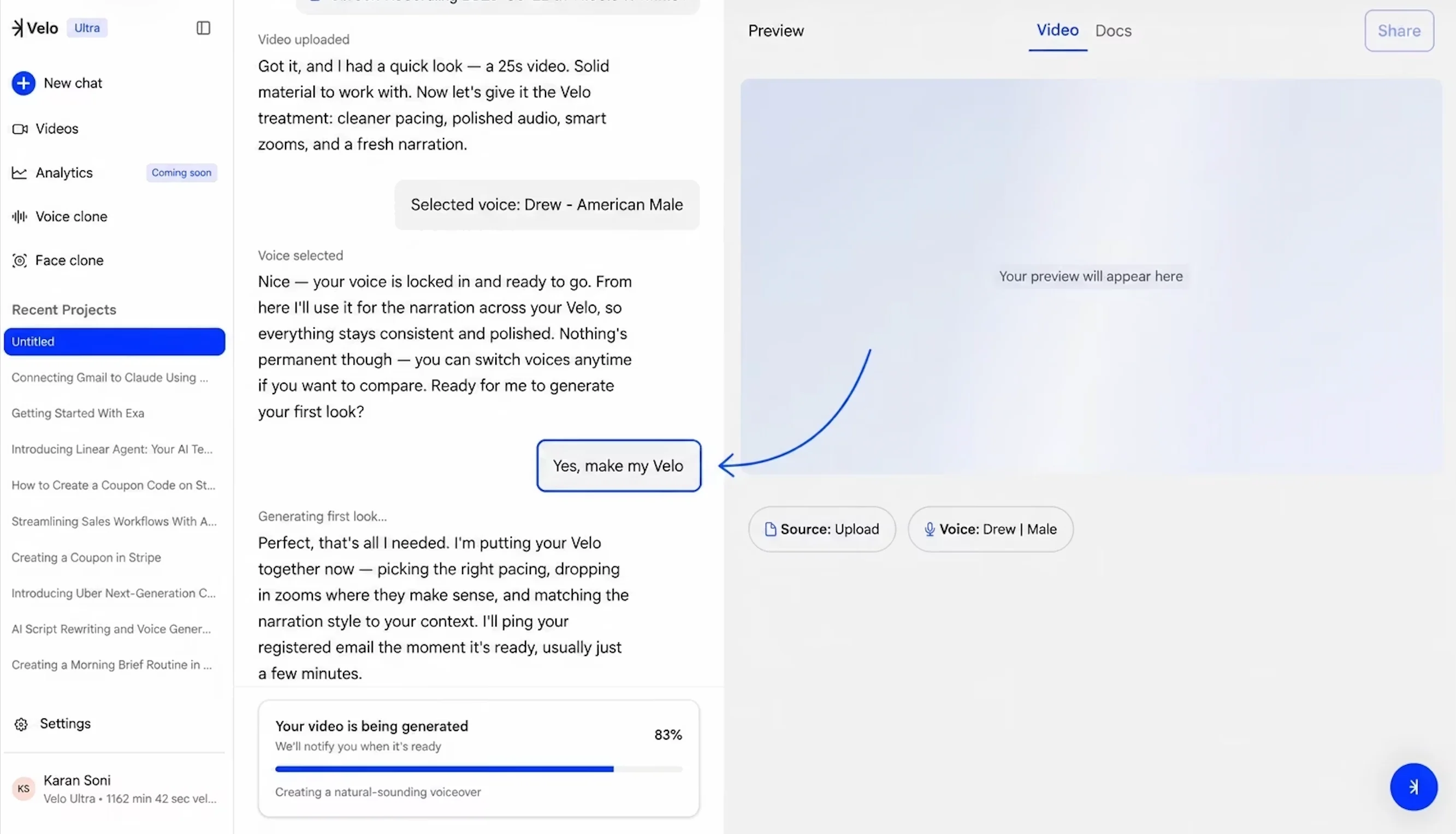
Process and Refine Your Video After confirming your voice selection, the system begins generating the “first look.” During this phase, the platform automatically separates and polishes the audio, transcribes speech to text, and applies smart zooms while matching the new audio to the video frames.
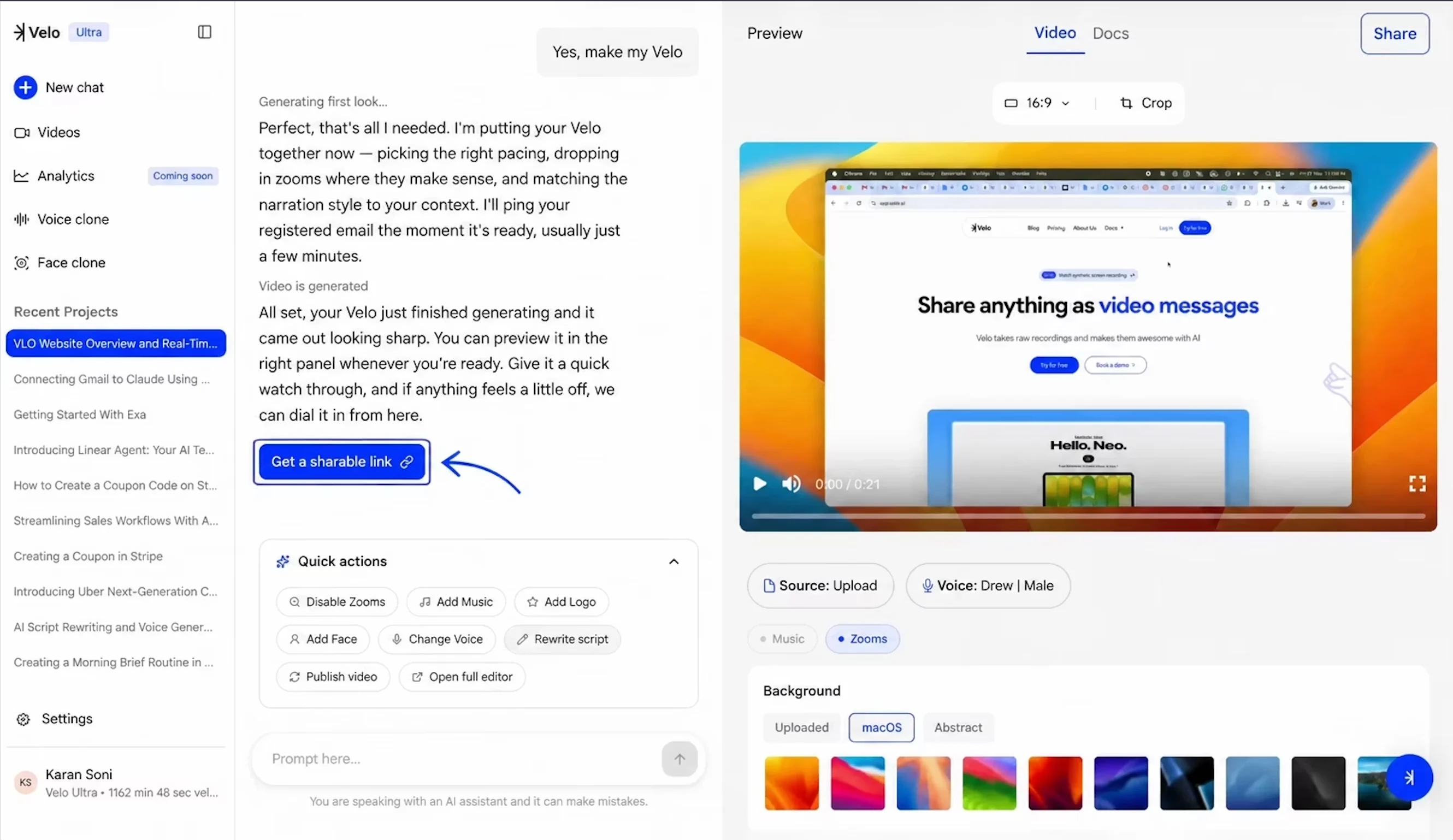
Once the video is generated, you can preview the results in the right-hand panel. Use the Quick actions menu to Disable Zooms, Add Music, Add Logo, or Rewrite script if further adjustments are needed. When ready for distribution, select “Get a sharable link” to copy the project URL.